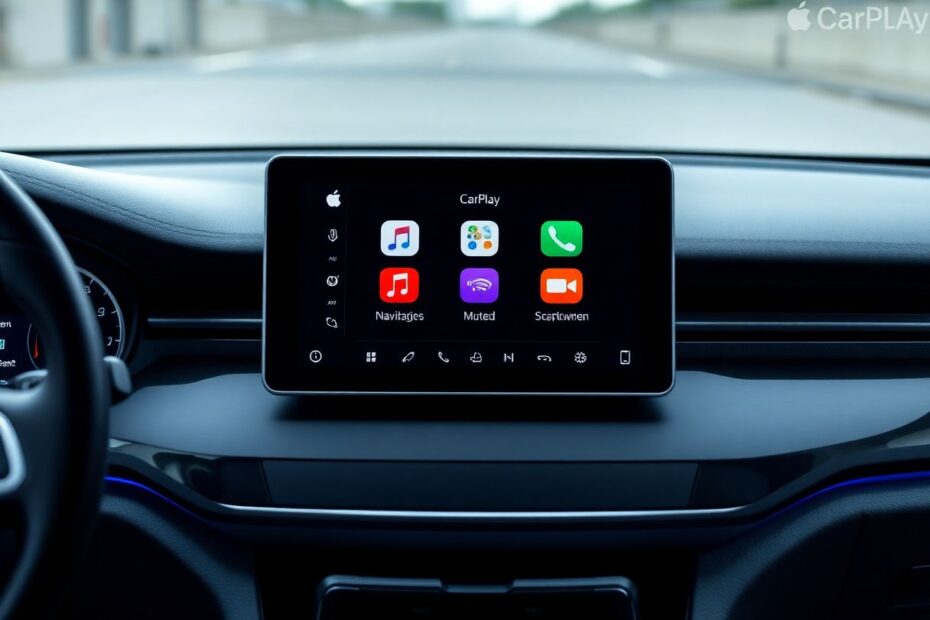
Apple CarPlay has revolutionized the way we interact with our vehicles, bringing the power and convenience of our iPhones to the dashboard. However, like any technology, it's not without its quirks. Many users find themselves frustrated when CarPlay doesn't work as expected. This comprehensive guide will walk you through common issues, provide detailed solutions, and offer insights to enhance your overall CarPlay experience.
Understanding Apple CarPlay: More Than Just a Connection
Before we dive into troubleshooting, it's crucial to understand what Apple CarPlay is and why it's become an indispensable feature for many drivers. Introduced in 2014, CarPlay is Apple's solution for seamlessly integrating iPhone functionality with a vehicle's infotainment system. It's designed to minimize driver distraction while providing access to essential apps and services.
CarPlay works by essentially mirroring a simplified version of your iPhone's interface on your car's display. This allows you to use navigation apps, make calls, send messages, and control music playback, all through your car's built-in controls or voice commands via Siri. The system is constantly evolving, with iOS 13 bringing a major overhaul that included a new dashboard view and the ability to use CarPlay and your car's native system simultaneously.
Common Apple CarPlay Issues and Their Solutions
1. Connection Problems: The Root of Many Frustrations
Connection issues are perhaps the most common complaint among CarPlay users. These can manifest in several ways:
Wired Connection Failures
If you're using a wired connection and CarPlay isn't recognizing your iPhone, start with the basics:
- Ensure you're using a high-quality, Apple-certified Lightning cable. Third-party cables, especially cheaper ones, can be unreliable and may not support CarPlay.
- Clean both your iPhone's Lightning port and your car's USB port. Over time, these can accumulate dust and debris, leading to poor connections.
- Try different USB ports in your vehicle if available. Some cars have multiple ports, but only specific ones support CarPlay.
If these steps don't resolve the issue, try force restarting your iPhone. For iPhone 8 or later models, quickly press and release the volume up button, then the volume down button, and finally press and hold the side button until you see the Apple logo.
Wireless Connection Woes
For those with wireless CarPlay capabilities:
- Ensure both Bluetooth and Wi-Fi are enabled on your iPhone. Wireless CarPlay relies on both technologies.
- If your car isn't appearing in the available cars list, try forgetting the car in your Bluetooth settings and re-pairing.
- Some users have reported success by turning off their iPhone's personal hotspot feature, as it can interfere with the CarPlay connection.
2. Apps Not Loading or Functioning Properly: Keeping Your Software Up to Date
When apps fail to load or function correctly within CarPlay, it's often due to outdated software. Here's a more detailed approach to resolving these issues:
iOS Updates: The Foundation of Smooth Operation
Keeping your iPhone's operating system up to date is crucial. Apple regularly releases updates that not only add new features but also fix bugs that could be affecting CarPlay performance. To check for updates:
- Go to Settings > General > Software Update
- If an update is available, connect your iPhone to a power source and Wi-Fi network
- Tap "Download and Install"
It's worth noting that major iOS updates can sometimes introduce new issues. If you're experiencing problems immediately after a significant update, you may want to wait for a point release (e.g., iOS 14.0.1) which often addresses early bugs.
App Updates: Ensuring Compatibility
Developers frequently update their apps to maintain compatibility with the latest iOS versions and CarPlay features. To update your apps:
- Open the App Store
- Tap your profile icon in the top right corner
- Scroll down to see available updates
- Tap "Update All" or update individual apps as needed
Pay special attention to navigation apps like Google Maps or Waze, as well as music streaming services like Spotify or Apple Music, as these are among the most commonly used CarPlay apps.
3. Audio Issues: Fine-Tuning Your Sound
Audio problems can range from no sound at all to poor quality or intermittent playback. Here are some additional troubleshooting steps:
- Check your car's audio balance and fader settings. Sometimes, these can be accidentally adjusted, leading to audio only coming from certain speakers.
- If you're experiencing poor audio quality, ensure that any audio enhancement features on your car's stereo (like bass boost or virtual surround sound) are disabled, as these can sometimes interfere with CarPlay's audio output.
- For podcast or audiobook fans, check if the issue is specific to certain apps. Some third-party apps may have compatibility issues with CarPlay that the developers need to address.
4. Display Glitches: Clearing the View
Visual glitches can be particularly annoying, as they directly impact your ability to interact with CarPlay. Here are some additional steps to resolve display issues:
- If you're seeing a black screen or the CarPlay interface isn't scaling correctly, try adjusting your car's display settings. Some vehicles allow you to change the aspect ratio or zoom level of the CarPlay display.
- For persistent display issues, try resetting your car's infotainment system to factory settings. The process for this varies by manufacturer, so consult your vehicle's manual for specific instructions.
- If you're using a third-party head unit for CarPlay, ensure its firmware is up to date. Manufacturers like Pioneer, Alpine, and Kenwood regularly release updates that can resolve display glitches.
5. Siri Not Responding: Enhancing Voice Control
Siri is a crucial component of the hands-free CarPlay experience. If you're having trouble with Siri:
- Ensure that you've enabled "Allow Siri When Locked" in your iPhone's Siri settings. This is particularly important for accessing Siri while driving.
- Check your car's microphone placement and ensure it's not obstructed. Some vehicles have microphones integrated into the rearview mirror or overhead console.
- If Siri is having trouble understanding you, try recalibrating the "Hey Siri" feature on your iPhone. Go to Settings > Siri & Search, turn off "Listen for Hey Siri," then turn it back on and go through the setup process again.
Advanced Troubleshooting: When All Else Fails
If you've tried all the above solutions and are still experiencing issues, it's time to consider some more advanced troubleshooting steps:
Resetting Network Settings
This can often resolve persistent connection issues:
- Go to Settings > General > Reset
- Tap "Reset Network Settings"
- Enter your passcode if prompted
- Confirm the reset
Note that this will remove all saved Wi-Fi networks and Bluetooth pairings, so you'll need to reconnect to these after the reset.
Checking for CarPlay Restrictions
Sometimes, CarPlay functionality can be limited by restrictions set on your iPhone:
- Go to Settings > Screen Time > Content & Privacy Restrictions
- Ensure that CarPlay is allowed under "Allowed Apps"
Consulting Apple's System Status Page
On rare occasions, CarPlay issues can be caused by problems on Apple's end. Visit Apple's System Status page (https://www.apple.com/support/systemstatus/__CODEX_PROTECTED_91162ae17a1d9e21_144__) to check if there are any ongoing issues with CarPlay services.
Maximizing Your CarPlay Experience: Beyond Troubleshooting
Once you've resolved any issues, there are several ways to enhance your CarPlay experience:
Customizing Your CarPlay Dashboard
iOS 13 introduced the ability to customize the CarPlay dashboard. To do this:
- Connect your iPhone to CarPlay
- Tap and hold an app icon until they start wiggling
- Drag and drop apps to rearrange them
- Swipe left to access additional screens and organize your apps across multiple pages
Utilizing Third-Party Apps
While Apple's native apps work well with CarPlay, there are numerous third-party apps that can enhance your experience. Some popular options include:
- Navigation: Waze, Google Maps
- Music: Spotify, Pandora, Amazon Music
- Podcasts: Overcast, Pocket Casts
- Messaging: WhatsApp, Facebook Messenger
Leveraging Siri Shortcuts
Create custom Siri Shortcuts for common tasks you perform while driving. For example, you could create a shortcut that starts navigation to your home address and begins playing your favorite playlist with a single voice command.
The Future of CarPlay: What's on the Horizon
Apple continues to innovate with CarPlay, and the future looks promising. At WWDC 2022, Apple previewed the next generation of CarPlay, which will more deeply integrate with a car's hardware, extending beyond the infotainment system to include instrument clusters and climate controls.
This new version of CarPlay, expected to debut in vehicles starting in late 2026, will be highly customizable and able to adapt to different screen sizes and layouts. It promises to provide a more unified and immersive experience, potentially revolutionizing how we interact with our vehicles.
Conclusion: Embracing the Connected Car Experience
Apple CarPlay has transformed the way we interact with our vehicles, bringing the power and familiarity of our iPhones to the dashboard. While issues can arise, most are easily resolved with the troubleshooting steps outlined in this guide. By keeping your software up to date, maintaining your hardware, and exploring the full capabilities of CarPlay, you can ensure a smoother, safer, and more enjoyable driving experience.
Remember, technology is constantly evolving, and CarPlay is no exception. Stay informed about updates and new features, and don't hesitate to explore third-party apps and customization options to tailor CarPlay to your specific needs. With a little patience and the right knowledge, you can overcome common CarPlay issues and fully embrace the future of in-car technology.
Safe travels, and enjoy your newly optimized Apple CarPlay experience!
