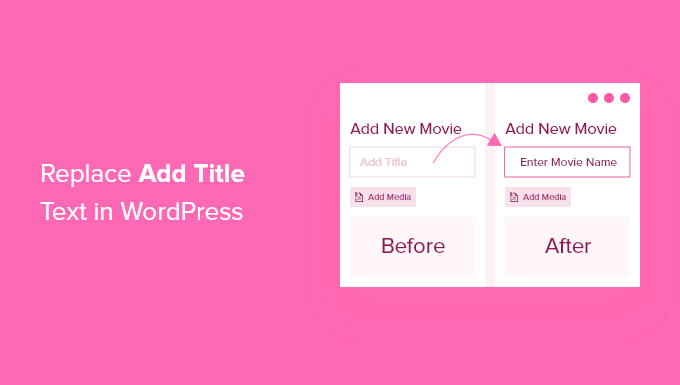
How to Replace "Enter Title Here" Text in WordPress (2026 Guide)
When creating a new post in WordPress, you‘re greeted with the default "Enter title here" placeholder text in the title field. While this generic prompt gets the job done, did you know you can replace it with text that‘s more descriptive and tailored to your content?
In this guide, we‘ll walk you through why and how to change the default WordPress post title placeholder to streamline your publishing workflow and make your site more user-friendly. We‘ll cover:
- Benefits of replacing the default title text
- Step-by-step instructions (with code snippets)
- Customizing placeholder text for specific post types
- Best practices and creative ideas for effective title text
- Troubleshooting common issues
- Additional ways to personalize the WordPress editor
Let‘s dive in and take your post titles to the next level!
Why Replace the Default "Enter Title Here" Text?
At first glance, the generic "Enter title here" placeholder text seems sufficient. It prompts you to input a title for your post – pretty straightforward. However, there are several compelling reasons to customize this text:
Clearer instructions. Generic text doesn‘t provide any guidance on how to craft effective titles. More descriptive placeholder text can specify title format, length, or keywords to include.
Tailored to your content. Different types of content warrant different title styles. Placeholder text tailored to the post type (e.g. event, product, recipe, etc.) can help writers create more suitable, engaging titles.
Branding and personality. Customized text allows you to infuse your brand‘s unique voice and personality consistently across your site, even down to minor details like placeholders.
Enhanced user experience. Helpful, contextual placeholder text makes your site feel more intuitive and thoughtfully designed for content creators and editors.
Improved SEO. Well-crafted post titles are crucial for SEO. Encouraging writers to optimize titles from the start with strategic placeholder text can boost your content‘s search rankings.
The bottom line: Default placeholder text is a missed opportunity. With a little customization, you can make post titles more engaging, consistent, and optimized while making content creation a breeze.
How to Change the Title Placeholder Text (Step-by-Step)
Now that you understand the benefits, let‘s walk through how to replace the default post title text in WordPress.
Important: The following method involves adding code to your WordPress theme files. I recommend using a child theme or plugin so your changes aren‘t overwritten when your theme is updated. If you need help, refer to this guide on safely adding custom code snippets.
Step 1: Locate the functions.php file in your child theme or create a site-specific plugin.
Step 2: Add the following code snippet:
function change_default_title($title) {
$screen = get_current_screen();
if (‘post‘ == $screen->post_type) {
$title = ‘Enter a descriptive title (50-60 characters)‘;
}
return $title;
}
add_filter(‘enter_title_here‘, ‘change_default_title‘);
Step 3: Replace ‘post‘ with the post type you want to customize the placeholder text for (e.g. ‘product‘, ‘event‘, ‘recipe‘, etc.)
Step 4: Customize the text inside the single quotes to your desired placeholder text. For example:
- "Enter product name – Brand, Color, Size"
- "Enticing headline for your blog post (50-60 chars)"
- "Recipe name – Type of dish (e.g. pasta, curry, salad)"
Step 5: Save the functions.php file or activate the plugin if you used one.
That‘s it! Now when you create a new post (or custom post type), you‘ll see your custom placeholder text prompting you to craft an optimized title.
Tips for different post types:
- For blog posts: Suggest including keywords, power words, or ideal title length for SEO
- For products: Prompt to include brand name, key specs, or model number
- For events: Remind to include event name, date, location
- For recipes: Encourage specifying dish type, main ingredient, or cuisine
- For job listings: Prompt to include job title, company, location
The possibilities are endless – get creative and tailor the text to serve your content creators‘ needs.
Advanced: Customizing for Multiple Post Types
Want to customize placeholder text for more than one post type? No problem. Modify the code snippet like this:
function change_default_title($title) {
$screen = get_current_screen();
if (‘post‘ == $screen->post_type) {
$title = ‘Enter a descriptive title (50-60 characters)‘;
} elseif (‘product‘ == $screen->post_type) {
$title = ‘Product name – Brand, Specs, Model #‘;
} elseif (‘event‘ == $screen->post_type) {
$title = ‘Event name – Date, Location‘;
}
return $title;
}
add_filter(‘enter_title_here‘, ‘change_default_title‘);
Simply add more elseif statements for each post type, specifying the post type name and desired placeholder text. Customize as many as you need!
Best Practices for Effective Placeholder Text
When crafting custom title placeholder text, keep these tips in mind:
Keep it concise. Placeholder text should be short and scannable so it doesn‘t clutter the input field. Aim for under 60 characters.
Make it actionable. Start with a clear verb that prompts the user to take action, like "Enter", "Create", "Write", "Compose", etc.
Provide helpful suggestions. Include brief examples or instructions to guide users on what an effective title looks like for the specific content type.
Consider SEO. Encourage writers to naturally incorporate relevant keywords into titles by suggesting words to include. But avoid sounding too robotic or keyword-stuffed.
Inject brand personality. Have fun with wording to align with your brand‘s unique style and voice. A little humor or personality can make a tedious task more enjoyable.
Prioritize clarity over cleverness. Above all, ensure the text is perfectly clear and easy to understand so there‘s no confusion on what‘s expected.
Some examples of effective, creative placeholder text:
- "Irresistible headline that makes people want to click"
- "Mouthwatering recipe name with main ingredient"
- "Attention-grabbing event title – Date"
- "Informative tutorial title with desired outcome"
- "Catchy title to hook readers (puns encouraged)"
Feel free to think outside the box and have fun, while still being crystal clear.
Troubleshooting
If your custom placeholder text doesn‘t appear after following the steps above, try these solutions:
- Double check that the code snippet is pasted correctly in functions.php or the plugin editor without any syntax errors
- Ensure you replaced ‘post‘ in the code with the correct post type slug that you want to customize
- Clear your browser cache or try viewing in an incognito window to see the change
- Try a different web browser to rule out any browser-specific issues
- Confirm the code change was saved and uploaded to your live site (not just a local copy)
Still not working? Reach out to a skilled WordPress developer to diagnose any issues with your specific theme setup or plugin conflicts that may interfere with the code.
Other Ways to Customize the Editor
Customizing placeholder text is just one of many ways you can tailor the WordPress post editor to streamline content creation. Some other options:
- Use the "Excerpt" field to provide instructions or a template for the post introduction
- Customize the editor background color or text labels to match your branding
- Remove unnecessary fields, tabs, or settings to simplify the editing interface
- Use a page builder plugin to create content templates for different post types
- Add custom fields for your writers to fill out with structured data
- Create a custom "checklist" with reminders for optimizing post titles, content, URLs, etc.
By thoughtfully designing your post editor interface, you can make publishing content a breeze while maintaining high quality standards. Customization helps content creators feel supported and confident that they‘re creating the best content for your site.
The SEO Impact of Post Titles
Well-crafted post titles aren‘t just important for grabbing visitors‘ attention — they‘re crucial for SEO. That‘s why optimizing them from the start is key. Here‘s a quick refresher on post title best practices:
- Include 1-2 relevant keywords that your target audience is searching for
- Aim for 50-60 characters to avoid being cut off in search results
- Make it compelling and clearly communicate what the content is about
- Avoid spammy practices like keyword stuffing or clickbait phrasing
By encouraging writers to incorporate these SEO elements with your strategic placeholder text, you‘re setting your content up for search success right from the get-go.
Key Takeaways
- Default WordPress placeholder text is generic and lacks the opportunity to guide or inspire writers
- Customizing title text for different post types can provide clearer instructions and optimize content
- A few lines of code in your functions.php file can replace default text across your site
- Get creative with clear, concise, and compelling placeholder text (aim for under 60 characters)
- Customize other elements of the post editor to further support your content goals
- Ensure post titles are optimized for search engines to improve content performance
Ready to uplevel your WordPress post titles? Start brainstorming the most helpful, strategic placeholder text for your content types. With a bit of customization, you‘ll be on your way to more consistent, engaging, and high-performing content across your site.
