Hey there, WordPress site owner! If you‘re reading this, I‘m guessing you‘re no stranger to the endless battle against comment spam. It‘s an unfortunate reality of running a WordPress site in 2026 – spammers are going to try to junk up your posts with irrelevant, spammy comments.
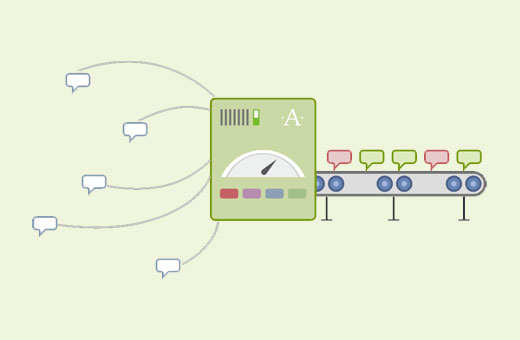
The good news is, you‘ve got a powerful ally in that fight: Akismet. Akismet is a popular WordPress anti-spam plugin that automatically filters out the vast majority of spam comments so you don‘t have to deal with them manually. It‘s great at what it does, but sometimes you might want to tweak Akismet‘s default settings for your specific needs.
One of those settings is the spam deletion schedule – i.e. how long Akismet holds spam comments before permanently deleting them. By default, it‘s set to 15 days. But what if you want to delete spam faster to keep your database lean and mean? Or maybe you want to keep spam around longer so you have more time to review it for false positives?
In this guide, I‘m going to walk you through exactly how to adjust Akismet‘s spam deletion schedule to your liking. I‘ll explain why you might want to make this change, provide step-by-step instructions for two different methods, and share some other tips for fighting spam on your WordPress site.
Sound good? Let‘s dive in!
Why Change Akismet‘s Default Spam Deletion Schedule?
So first off, why would you even want to change how often Akismet deletes spam comments? There are a couple main reasons:
- Reduce database bloat from spam overload
- Allow more time to review spam for false positives
Let‘s break each of those down.
Reason 1: Keeping Your Database Lean
If your WordPress site is popular (congrats!), you probably get a ton of comments. That‘s great for engagement, but it also means you‘re going to get a bunch of spam comments mixed in. Even with Akismet catching most of them, that spam can really add up over time.
For example, let‘s say your site gets an average of 100 spam comments per day. Over the course of a month, that‘s 3,000 junk comments piling up in your database! And if you let Akismet hold them for the default 15 days before deletion, you‘ve constantly got a backlog of around 1,500 spam comments at any given time. Yikes.
All that spam bloat can start to negatively impact your site‘s performance and backup processes. According to a study by WP Engine, the average spam comment takes up 3KB of database space. So 1,500 spam comments is around 4.5MB of wasted space. And if you‘re backing up your site regularly (which you definitely should be), that‘s an extra 4.5MB getting backed up every time for no reason.
Sure, 4.5MB might not sound like much in the grand scheme of things. But it‘s still unnecessary bloat that can add up over time, especially if you‘re on a shared hosting plan with limited resources.
That‘s why some WordPress experts recommend deleting spam comments more frequently. By reducing the spam deletion timeframe to something like 7 days (or even daily), you can keep your database as lean as possible and avoid performance issues down the road.
Reason 2: Reviewing Spam for False Positives
On the flip side, some site owners actually prefer to keep spam comments around longer than the default 15 days. Why? Because they want to make absolutely sure they‘re not accidentally deleting any legitimate comments.
See, as great as Akismet is, it‘s not perfect. Sometimes it can get a little overzealous and mark a real comment as spam by mistake. It doesn‘t happen often, but it‘s always a possibility with any automated system.
If you just let Akismet delete spam on the default schedule, you might never know if a good comment got thrown out with the bathwater. And once a spam comment is deleted, it‘s gone forever – there‘s no getting it back.
That‘s why some folks like to give themselves a longer window to manually check the spam queue for false positives. Instead of 15 days, they might set the schedule to 30 days or even longer. That way they can periodically sift through the spam pile and rescue any real comments that got caught in the crossfire.
This is especially important for business sites where every lead and customer interaction is valuable. Losing even one legitimate comment could mean losing a potential sale or damaging a relationship with a reader.
So there‘s definitely a trade-off to consider when setting your spam deletion schedule. Deleting spam faster keeps your database lean, but gives you less time to review for false positives. Deleting spam slower gives you more review time, but means more lingering spam junk in your database.
There‘s no universally "right" answer – it all depends on your unique situation and priorities. A small personal blog might opt for faster deletion since a few lost comments aren‘t a big deal, while a large ecommerce site might prefer a longer holding period to avoid missing any customer questions. You‘ll have to weigh the pros and cons for your specific case.
How to Change Akismet‘s Spam Deletion Schedule
Okay, so now that you know why you might want to change Akismet‘s spam deletion schedule, let‘s talk about how to actually do it.
There are two main methods:
- Add a code snippet to your WordPress files
- Use the free Spam Deletion Schedule plugin
I‘ll walk you through both options step-by-step.
Method 1: Code Snippet
The first method to change Akismet‘s spam deletion schedule is to add a small code snippet to your WordPress site‘s files.
Don‘t worry – even if you‘re not super technical, this is easier than it sounds! You‘ll just need to paste a few lines of code into the right place.
Here‘s the code snippet you‘ll need:
add_filter( ‘akismet_delete_comment_interval‘, function( $days ) {
return 30;
} );
This code uses the akismet_delete_comment_interval filter hook to change the number of days Akismet holds spam comments before deleting them. In this example, it‘s set to 30 days. You can change that number to whatever you‘d like – just replace the 30 with your preferred spam holding period.
To add this code snippet to your WordPress site, you have two options:
- Paste it into your theme‘s functions.php file
- Use a plugin like Code Snippets or WPCode to manage the snippet
I generally recommend the plugin route because it‘s safer than editing your theme files directly. If you accidentally make a mistake in your functions.php file, it could break your whole site. Using a snippets plugin isolates the code and makes it easy to deactivate if needed.
If you decide to go the plugin route, just install and activate your chosen snippets plugin, then add a new snippet and paste in the code verbatim. Give it a name, save it, and then activate the snippet.
If you‘d rather add the code directly to your functions.php file, you‘ll need to access your WordPress files via FTP or your hosting control panel‘s file manager. Navigate to your active theme‘s folder (usually wp-content/themes/your-theme-name/), open the functions.php file, and paste the code at the very end. Save the changes and you‘re all set.
Whichever method you choose, you can verify the change took effect by visiting the Akismet settings page in your WordPress dashboard (Settings > Akismet Anti-Spam). Scroll to the very bottom of the page and look for a notice that says something like "Spam in the spam folder older than 30 days will be deleted automatically." If you see your new number there, you‘re golden!
One important note: changing the spam deletion schedule like this won‘t apply retroactively to spam comments already in the queue. It will only affect new spam caught by Akismet after the change. So if you‘re trying to trim down a backlog of old spam, you‘ll need to manually delete those existing comments.
Method 2: Spam Deletion Schedule Plugin
If messing with code snippets isn‘t your cup of tea, you can get the same spam schedule customization with a free plugin called Spam Deletion Schedule.
To use this method, first install and activate the plugin on your WordPress site. Then navigate to the new "Spam Deletion Schedule" settings page that appears in your dashboard sidebar.
On that settings page, look for the "Trash Spam" option. Enter the number of days you want Akismet to hold spam comments before deleting them, then click the "Save Changes" button.
And that‘s it! The plugin will take care of the rest. Just like with the code snippet method, you can verify the change on the Akismet settings page.
The Spam Deletion Schedule plugin also has a few extra options you can play with, like the ability to delete spam on a recurring schedule (daily, weekly, monthly, or yearly) or only delete spam older than X number of days.
For most users, the simpler "Trash Spam" option is all you need. But if you have more advanced needs, it‘s nice to have those extra settings available.
Frequently Asked Questions About Akismet‘s Spam Deletion Schedule
Before we wrap up, I want to address a few common questions I hear about Akismet‘s spam deletion process.
What actually happens to spam comments when they‘re deleted?
When the spam deletion schedule runs, spam comments are permanently deleted from your WordPress database. They‘re not just moved to the trash folder like when you manually delete a comment – they‘re completely wiped out.
That means once a spam comment is deleted by Akismet, it‘s gone forever. There‘s no way to recover it. So if you‘re worried about false positives, make sure you review your spam queue thoroughly before the deletion date arrives.
Do spam comments actually affect website performance?
They can, but usually only if you‘re dealing with a seriously massive amount of spam. A few thousand spam comments shouldn‘t have a noticeable impact on the average WordPress site.
However, if you‘re getting absolutely hammered with spam to the tune of hundreds of thousands of junk comments, it can start to bog things down. Your database will get bloated, backups will take longer, and your server will have to work harder to query the oversized database.
Again, this typically only happens on extremely high-traffic sites or sites that are being specifically targeted by spam bots. But it‘s something to keep in mind if you notice your site getting sluggish and you have a huge backlog of spam comments piling up.
Why doesn‘t Akismet just delete spam comments immediately?
You might be wondering – if spam comments are so useless, why not just have Akismet zap them right away instead of holding them for two weeks first? Wouldn‘t that solve the whole database bloat issue?
Well, yes and no. Immediately deleting spam would keep your database squeaky clean, but it would also make it impossible to catch any false positives. Remember, even Akismet makes mistakes sometimes. If a legitimate comment gets wrongly flagged as spam and deleted instantly, you‘d have no way to retrieve it.
That‘s why Akismet has that default 15-day holding period – to give site owners a chance to review spam comments before they‘re gone for good. It‘s a safeguard against losing real comments.
Of course, you can always shorten that timeframe if you‘re confident in Akismet‘s accuracy and want to delete spam faster. Just keep in mind that the shorter the holding period, the higher the risk of false positives slipping through the cracks.
Other Tips for Fighting WordPress Comment Spam
Customizing your Akismet spam deletion schedule is a good way to fine-tune your spam defenses. But it‘s just one small piece of the larger spam-fighting puzzle.
Here are a few other best practices to keep in mind:
- Make sure Akismet is active and properly set up. It should be the first line of defense against spam.
- Install a CAPTCHA plugin to add an extra verification step to your comment forms. This makes it harder for spam bots to submit junk comments.
- Use strong passwords and limit login attempts to prevent spammers from gaining access to your site through brute force attacks.
- Keep your WordPress core, themes, and plugins up to date. Outdated software can have vulnerabilities that hackers and spammers exploit.
- Choose a secure, well-maintained hosting provider. Cheap, low-quality hosts are more likely to have lax security that allows spam to slip through.
- Consider disabling comments altogether on older posts that are no longer relevant. Spammers love to target dormant posts.
I could go on, but you get the idea. Stopping WordPress comment spam requires a multi-pronged approach. Akismet is a powerful tool, but it works best in combination with other security measures.
If you‘re looking for more guidance on WordPress spam prevention, check out some of these other helpful guides:
- Akismet Anti-Spam Plugin: How Stop Comment Spam in WordPress
- How to Stop User Registration Spam in WordPress (5 Easy Steps)
- Eliminating Comment Spam with CleanTalk
Final Thoughts
Comment spam may be an inevitable part of running a WordPress site, but that doesn‘t mean you have to just sit back and take it. With a trusted tool like Akismet and a few strategic tweaks, you can keep the spam at bay without driving yourself crazy.
Adjusting Akismet‘s spam deletion schedule is one of those small but impactful optimizations that can make a real difference in your anti-spam efforts. Whether you want to delete junk comments faster to streamline your database or keep them around longer to avoid false positives, Akismet makes it easy to customize the timeframe to your needs.
Hopefully this in-depth guide has given you the knowledge and steps you need to take control of your spam deletion process. All that‘s left is for you to decide on your ideal schedule and implement it with a code snippet or plugin.
While you‘re at it, take a few minutes to run through the other spam-fighting best practices we talked about. A little proactive spam defense can save you a ton of headaches in the long run.
You‘ve got this, WordPress warrior! Now go forth and conquer that comment spam.
)