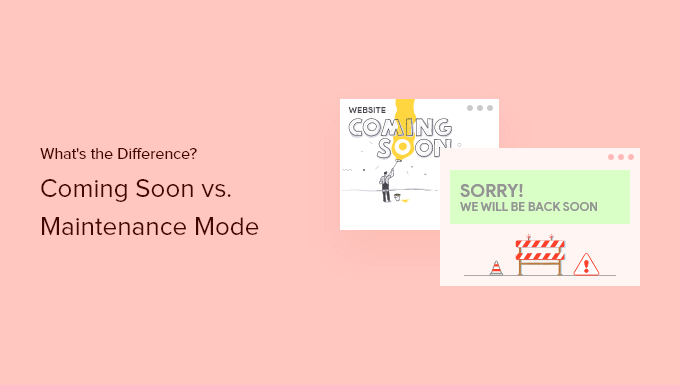
Comparing Coming Soon vs Maintenance Mode Pages in WordPress (2026)
Are you getting ready to launch a new WordPress website and wondering whether you need a coming soon page or maintenance mode? While both types of pages hide your site from regular visitors, they serve distinct purposes. Understanding the difference is crucial for providing the right experience to your audience and search engines.
In this guide, we‘ll dive deep into the world of coming soon and maintenance pages. You‘ll learn what each type of page is for, when to use them, SEO best practices, design tips, and more. We‘ll compare popular WordPress page builder plugins and then show you step-by-step how to create professional pre-launch and maintenance pages using Elementor.
Let‘s get started!
What is a Coming Soon Page?
A coming soon page is a temporary webpage that you publish before officially launching your website. Its purpose is to hide your work-in-progress site from the public while generating interest and collecting leads from early visitors.
The typical coming soon page includes:
- A "Coming Soon" headline
- Brief text describing what the site is about
- Expected launch date or countdown timer
- Email signup form to notify interested visitors when you launch
- Social media links to build your following pre-launch
- A visually appealing, branded background image or video
When to Use a Coming Soon Page
Coming soon pages are most useful for brand new websites that are still under construction. The page allows you to start promoting your site and building an audience before the full site is ready.
Reasons to use a coming soon page include:
- You purchased a domain name but haven‘t started designing the site yet
- Your site is in development and not ready for public access
- You want to start generating buzz and collecting email leads pre-launch
- You plan to launch a site soon and want to get indexed by Google in advance
The key is that coming soon pages are for sites that have never publicly launched before. It‘s not advised to use a coming soon page on a live site that you‘re redesigning or changing.
What is a Maintenance Mode Page?
A maintenance mode page is a temporary page that you display to visitors when your live website is briefly unavailable due to maintenance, updates, or technical issues.
Maintenance pages usually include:
- An "Under Maintenance" or "Be Back Soon" message
- Explanation that the site is temporarily down for maintenance or updates
- Expected timeframe for the maintenance (e.g. "2 hours" or "By tomorrow")
- Optional email field to notify visitors when the site is back up
- Company branding and imagery to maintain brand recognition
The purpose of a maintenance page is to inform visitors that the downtime is temporary and intentional, not an error. This reassures visitors that your site will be back online soon.
When to Use a Maintenance Mode Page
Maintenance pages should be used any time you need to take a live, launched website offline for a short period to make updates or do technical work.
Examples of when to enable maintenance mode include:
- Updating your WordPress theme, plugins or version
- Troubleshooting or fixing unexpected technical issues
- Performing site maintenance or upgrades
- Making content changes that you don‘t want visitors to see until complete
The key difference from coming soon mode is that maintenance pages are for short-term, intentional downtime on already launched websites. It‘s not for new sites that are still in development.
SEO Impact of Coming Soon vs Maintenance Pages
From an SEO perspective, coming soon and maintenance pages are treated differently by search engines like Google.
Coming soon pages are often used on sites for weeks or months before launch. So search engines will index the page as is and potentially drive some organic traffic to it. This is good for building awareness and getting some momentum before launch.
In contrast, maintenance mode signals to search engines that the downtime is temporary and they should check back later. Properly configured maintenance pages return a 503 HTTP status code telling search bots that the page is "temporarily unavailable." This preserves your site‘s existing SEO and doesn‘t hurt your search rankings during the downtime.
Therefore, you want to use maintenance mode for short-term downtime of live sites, so you don‘t lose SEO traction. However, for new sites, coming soon pages are fine and can actually jumpstart your SEO.
Best Practices for Coming Soon Pages
To maximize the impact of your coming soon page, follow these tips:
- Include an attention-grabbing headline with the words "coming soon"
- Clearly explain what your upcoming site is about
- Add a visual element like a high-quality background image or video
- Place a prominent email signup form above the fold
- Add official launch date or a live countdown timer
- Link to your social media profiles to grow your following
- Keep copy concise and the design simple and clean
- Make sure the page reflects your new site‘s branding
Best Practices for Maintenance Pages
For maintenance pages, focus on these areas:
- Use a clear headline like "Under Maintenance" or "Be Back Soon"
- Provide a genuine, non-alarming explanation for the downtime
- Give a concrete estimate of when the site will be back up
- Consider offering an email notification when you‘re back online
- Maintain consistent branding so visitors recognize your site
- Keep the page design simple with minimal interactive elements
- Use humor if appropriate to put visitors at ease
- Always return a 503 status code for SEO
Choosing a WordPress Page Builder Plugin
For creating custom coming soon and maintenance pages, you‘ll need a WordPress page builder plugin. The default WordPress theme customizer doesn‘t offer the flexibility and design options needed for polished, professional pages.
Popular page builder plugins for WordPress include:
- Elementor
- Beaver Builder
- Divi
- WPBakery
- Thrive Architect
- Brizy
- SeedProd
While all of these tools can create the pages you need, Elementor stands out as the most versatile and user-friendly option. It offers a true drag-and-drop, front-end editor, making it easy to customize your design without code.
Elementor comes with 100+ pre-designed templates, including multiple options specifically for coming soon and maintenance pages. The designs are modern, professionally designed, and fully customizable. You can personalize every aspect of the page, including the layout, imagery, colors, fonts, and more.
Elementor also offers built-in functionality for key features like email forms and countdown timers. Plus, it seamlessly integrates with popular email marketing services like Mailchimp, Constant Contact, ConvertKit, and more.
Creating a Coming Soon Page with Elementor
Now, let‘s walk through the steps to create your own custom coming soon page using Elementor. You‘ll first need to install and activate the free Elementor plugin.
Then, follow these steps:
- Create a new page and title it something like "Coming Soon"
- Click the "Edit with Elementor" button to open the visual editor
- In the Elementor library, search for "coming soon" and select a pre-built template
- Customize the page by editing the text, images, colors, and fonts
- Drag in an email form widget and connect it to your email marketing service
- Add other optional widgets like social icons, countdown timer, etc.
- Preview and publish the page when finished
- Go to Settings > Reading and set your coming soon page as the "Homepage"
Your live site is now in coming soon mode! To take it off, simply revert the Homepage setting.
Setting Up Maintenance Mode in Elementor
The process for enabling maintenance mode is very similar:
- Create a new page titled "Maintenance Mode"
- Edit the page with Elementor
- Choose a maintenance page template from the Elementor library
- Customize the page‘s content, styling and imagery to your liking
- Add an optional email form, timer, or other widgets
- Publish the page when done
- Go to Elementor > Tools > Maintenance Mode and select your page
Your live site is now in maintenance mode and will display this page to visitors. Remember to turn maintenance mode off under Elementor > Tools when you‘re done.
Coming Soon Page Template Examples
Here are some of the best coming soon page templates you can use in Elementor:
- [Example template screenshots]
Maintenance Mode Page Template Examples
And here are examples of professional maintenance page templates from Elementor:
- [Example template screenshots]
Wrap Up
Hopefully this clears up the difference between coming soon and maintenance mode pages in WordPress! While similar, each serves a specific purpose. Use coming soon pages when developing a new site to generate buzz and leads pre-launch. Enable maintenance mode when you need to briefly take an existing site offline for updates or technical fixes.
For creating either type of page, Elementor is an excellent choice. Its intuitive visual editor and customizable templates allow you to quickly build impressive pages without any special technical or design skills.
Follow the tips and steps outlined above and your WordPress site will be well-equipped to make a great first impression with a professional coming soon page or provide visitors with a smooth maintenance mode experience.
)