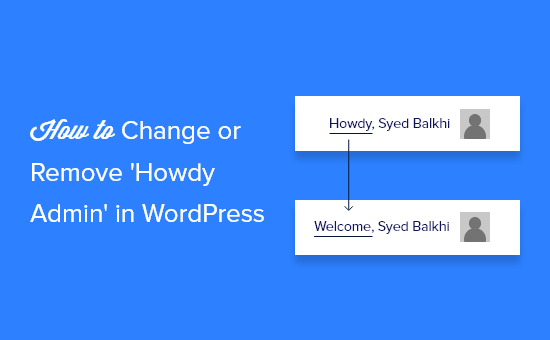
Hey there, WordPress user! If you‘re reading this, chances are you‘ve logged into your dashboard a thousand times and seen that "Howdy" message looking back at you. Maybe it makes you smile, or maybe it makes you cringe. Either way, did you know it‘s incredibly easy to change that default greeting to something that feels more like, well, you?
In this ultimate guide, we‘ll dive into why you might want to customize your WordPress salutation, how to do it with a few lines of code or a plugin, and some ideas for making it match your brand‘s style. By the end, you‘ll be saying "so long!" to "Howdy" and hello to a greeting that truly resonates with you. Let‘s get started!
Why Bother Changing the WordPress Greeting?
Before we jump into the how-to, let‘s talk about the why. After all, "Howdy" is a pretty innocuous word. Why go through the trouble of changing it? Here are a few compelling reasons:
Branding: The words you choose in your WordPress dashboard contribute to the overall voice and tone of your brand. If "Howdy" doesn‘t quite fit, swapping it out for something more aligned can create a cohesive experience, even in the back end.
User Experience: Your WordPress site doesn‘t exist in a vacuum. It‘s part of your larger digital presence. Customizing the greeting is a small way to delight your users and make logging in feel tailored to them.
Cultural Relevance: "Howdy" is a colloquialism that doesn‘t necessarily resonate globally. If your site caters to an international audience, a different greeting may be more appropriate and inclusive.
Personal Preference: At the end of the day, maybe you simply don‘t like "Howdy." That‘s reason enough to change it! Your WordPress dashboard should spark joy, not irritation.
Still not convinced? Consider this: there are over 60 million WordPress sites out there. Even if only 1% of those sites change the default greeting, that‘s still 600,000 "Howdys" kicked to the curb. You‘re in good company.
How to Change "Howdy" in WordPress (2 Methods)
Now, onto the actionable steps. There are two primary ways to change the "Howdy" message in WordPress: by editing your site‘s code, or by using a plugin. We‘ll cover both.
Method 1: Editing Your functions.php File
This method involves adding a small snippet of code to your theme‘s functions.php file. It‘s the more manual approach, but it‘s quick and gives you complete control. Here‘s how:
- From your WordPress dashboard, navigate to Appearance > Theme Editor.
- In the right-hand sidebar, locate and click on the Theme Functions (functions.php) file.
- Paste the following code at the bottom of the file:
function change_howdy( $translated_text, $text, $domain ) {
    if ( ‘default‘ == $domain && ‘Howdy, %1$s‘ == $text ) {
        $translated_text = sprintf( ‘Welcome, %1$s‘, get_user_by( ‘id‘, get_current_user_id() )->display_name );
    }
    return $translated_text;
}
add_filter( ‘gettext‘, ‘change_howdy‘, 10, 3 );
Replace ‘Welcome‘ in the code with your desired greeting. This is where you can get creative – but we‘ll talk more about that in a bit!
Click the "Update File" button to save your changes.
That‘s it! Refresh your dashboard, and you should see your new greeting in place of "Howdy."
A word of caution: editing theme files directly can be risky business, especially if you‘re not confident in your coding skills. One misplaced character could bring down your whole site. Always, always make sure you have a recent backup before making changes.
Also, keep in mind that if you update or change your theme in the future, you‘ll need to add this code snippet again. Consider using a child theme to avoid this issue.
Method 2: Using a Plugin
If dealing with code snippets isn‘t your cup of tea, a plugin can help you achieve the same result without ever opening your functions.php file.
For this example, we‘ll use the free Custom Admin Greetings plugin. Here‘s how to set it up:
- From your WordPress dashboard, navigate to Plugins > Add New.
- Search for "Custom Admin Greetings" in the search bar.
- Click "Install Now" and then "Activate."
- Navigate to Settings > Admin Greetings.
- In the "Greeting Text" field, enter your desired greeting. You can use the %username% placeholder to dynamically insert the logged-in user‘s name.
- Click "Save Changes."
Voila! Your new greeting should now appear in place of "Howdy" in the admin bar.
Using a plugin can be a safer and easier solution, especially if you‘re not comfortable editing code. However, keep in mind that every plugin you add to your site has the potential to slow it down or introduce vulnerabilities if not well-maintained. Make sure to only choose reputable plugins and keep them updated.
Choosing the Perfect Greeting for Your Brand
Now comes the fun part – deciding what your new greeting should actually say! The sky‘s the limit, but here are some ideas to get you started:
Align with your brand voice: If your brand is known for being witty and playful, why not choose a greeting that reflects that? Something like "Oh hey there, cool kid" or "Welcome back, you awesome human" could work well. On the flip side, if your brand is more traditional and professional, stick with something simple and straightforward like "Welcome, [Name]" or "Good to see you, [Name]."
Get personal: Use the opportunity to make your users feel seen and appreciated. Greetings like "You‘re looking great today, [Name]!" or "We‘re so glad you‘re here, [Name]" can add a touch of warmth and personality.
Incorporate your brand name or tagline: Reinforce your branding at every touchpoint by including your brand name or tagline in your greeting. For example, "Welcome back to [Brand Name], [Name]!" or "[Brand Tagline], [Name]!"
Reflect your niche or industry: If your site serves a specific niche, consider choosing a greeting that resonates with that audience. A fitness blog might use something like "Ready to crush it, [Name]?" while a food blog could go with "Hungry for more, [Name]?"
Keep it simple: When in doubt, less is often more. A simple "Hello, [Name]" or "Welcome, [Name]" is always a safe bet.
Remember, your greeting should make your users feel good about logging into your site. Steer clear of anything too cheeky, snarky, or potentially offensive. When in doubt, get feedback from your team or a trusted group of users before making a change.
The Importance of Testing
Before we wrap up, a quick note on testing. Whenever you make changes to your WordPress site – even something as small as a greeting – it‘s crucial to test those changes thoroughly before pushing them live.
Make sure to log in with different user roles (admin, editor, subscriber, etc.) to ensure the greeting looks and functions as expected for everyone. Click around to various pages in the dashboard to check for any unintended side effects.
It‘s also a good idea to test on different devices and browsers. What looks great on your laptop might be causing issues on mobile. The more thorough your testing, the less likely you are to run into surprises down the road.
The Bottom Line
Changing the "Howdy" message in your WordPress dashboard may seem like a small thing, but it‘s all part of creating a cohesive, branded experience for your users. With a few lines of code or a simple plugin, you can say goodbye to the generic greeting and hello to something that truly represents your site‘s personality.
Whether you opt for a playful pun, a warm welcome, or a straightforward hello, the key is choosing a greeting that aligns with your brand and makes your users feel valued. Put thought into your choice, test it out, and then enjoy logging into a dashboard that feels tailor-made for you.
Happy customizing, WordPress warrior!
