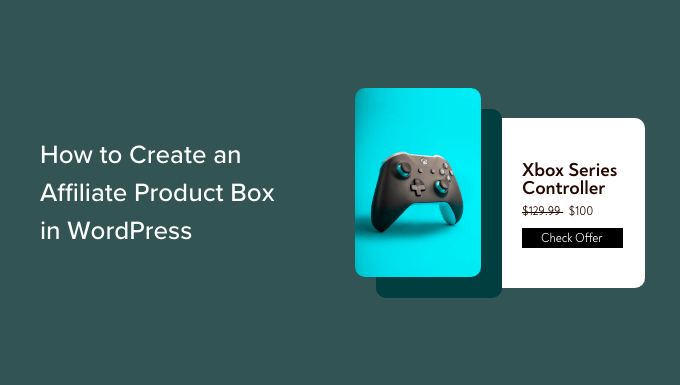
Hey there, affiliate marketer! Are you tired of your product recommendations blending in with the rest of your content? Want to make your affiliate links pop and entice more clicks? Then it‘s time to level-up your game with attention-grabbing affiliate product boxes.
In this ultimate guide, I‘ll show you how to create professional, conversion-optimized product showcases in WordPress—without writing a single line of code. You‘ll learn the best tools and techniques to craft boxes that highlight your top picks and persuade your visitors to buy.
Why You Need Affiliate Product Boxes
First off, let‘s talk about why you should be using product boxes on your affiliate site:
- They make your recommendations stand out visually
- They convey key information in an easily digestible format
- They lend credibility and professionalism to your endorsements
- They guide visitors‘ attention toward your calls-to-action
- They can boost your click-through rates and affiliate commissions
Don‘t just take my word for it—the stats speak for themselves:
- Affiliate marketers who use showcases or comparison tables can see a 3-5x increase in conversion rates (Authority Hacker)
- Over 65% of consumers are more likely to buy a product after viewing a product showcase video (Animoto)
- Affiliate links with optimized descriptions, images and CTA buttons have 35% higher click-through rates than plain text links (Impact)
By leveraging the power of product boxes, you can grab your audience‘s attention, inform their buying decisions, and ultimately drive more sales through your affiliate links. And the best part? You don‘t need any coding knowledge to create them!
4 No-Code Methods to Create Affiliate Product Boxes
Now, let‘s dive into four different ways you can craft eye-catching affiliate product boxes on your WordPress site, no coding required.
Method 1: Using Affiliate Marketing Plugins
The easiest way to create product boxes is by using a specialized affiliate marketing plugin. These tools are designed to help you manage your affiliate links and provide customizable product showcase features.
Two of the most popular options are:
Pretty Links Pro – Starting at $99/year, Pretty Links is an all-in-one affiliate management plugin that includes a "Product Showcase" feature. You can quickly generate beautiful product boxes with custom images, titles, descriptions, and buttons using their templates or drag-and-drop builder.
Thirsty Affiliates Pro – Starting at $69/year, Thirsty Affiliates offers a "Affiliate Link Insights" add-on that lets you upgrade your standard text links into visual product cards. Simply enter your affiliate link, upload an image, write a brief description and CTA, and the plugin automatically generates an optimized box.
Here‘s an example product box created with Thirsty Affiliates:
The benefits of using an affiliate plugin are:
- Purpose-built for managing affiliate links and creatives
- Designed to help you stay compliant with FTC and affiliate network policies
- Can automatically generate product info from your affiliate links
- Provide click tracking and reporting within WordPress
However, some limitations are:
- Requires an additional annual fee on top of your WordPress hosting
- May have more basic design options compared to other methods
- Dependent on the plugin‘s continued development and support
If you‘re serious about affiliate marketing and want an all-in-one solution, investing in an affiliate plugin is a smart choice. But if you want more creative control over your boxes‘ appearance, keep reading.
Method 2: Designing Product Boxes with Page Builders
Another approach is using a drag-and-drop WordPress page builder to visually design your own affiliate product boxes from scratch. The most popular and beginner-friendly options are:
SeedProd – Starting at $39.50/year, SeedProd is a landing page builder with a library of 180+ templates and 20+ blocks you can mix and match to create custom designs—no coding needed. While mainly used for landing pages, you can adapt their "Feature Box" block to showcase affiliate products.
Elementor – With a limited free version or Pro plans starting at $49/year, Elementor is a widely used website builder that lets you create any type of design using their visual editor. You can customize the built-in "Product Box" widget or combine blocks like Image Box, Icon Box, and Buttons to make product showcases.
Here‘s an example of a product box designed with Elementor:
[Screenshot]The advantages of using a page builder are:
- Complete creative freedom to style your boxes to match your brand
- Able to make more complex, multi-column comparison tables
- Can save your own product box templates to re-use site-wide
- Extend functionality with hundreds of builder-compatible add-ons
The potential downsides are:
- Steeper learning curve than plugins (but no coding required)
- Need to manually update the information if products change
- Using many builders or add-ons can slow down your site
If you want unlimited customization options and enjoy visually designing your own templates, use a page builder to create your dream product boxes.
Method 3: Using the WordPress Block Editor
Since WordPress 5.0, the new default content editor is the Block Editor (aka Gutenberg). You can now create simple product boxes using a combination of the editor‘s built-in blocks.
Here‘s how to do it:
- Edit or create a new WordPress post or page
- Add the Columns block and choose a two-column layout
- In the left column, add an Image block and upload your product image
- In the right column, add a Heading block for your product name
- Below that, add a Paragraph block to enter the product description
- Finally, add a Buttons block and paste in your affiliate link
- Customize each block‘s settings and styles in the editor sidebar
- Preview and publish your page or post when finished
The end result will look something like this:
[Screenshot]This method is best if you want to quickly add basic product boxes to your content without installing another tool. The downsides are that you‘re limited to the editor‘s core formatting options, and you‘ll have to manually recreate the box layout each time.
Some WordPress themes, like Genesis, Astra, or GeneratePress, also come with pre-designed product box block patterns that you can customize. If you want more advanced layouts without a separate builder plugin, consider using one of these affiliate-friendly themes.
Method 4: Hard-Coding Your Own HTML Boxes
The final method is for those who are comfortable with HTML and CSS and want to hard-code their own affiliate product boxes from scratch.
Here‘s a basic HTML template you can use:
<div class="product-box">
  <div class="product-image">
    <img src="product-image.jpg" alt="Product Name">
  </div>
  <div class="product-info">
    <h3>Product Name</h3>
    <p>Brief product description goes here.</p>
    <a href="affiliate-link" class="button">Call to Action</a>
  </div>
</div>
To style the box, you‘d add some CSS like this:
.product-box {
  display: flex;
  border: 1px solid #ddd;
  padding: 20px;
}

.product-image {
  flex: 1;
  margin-right: 20px;
}

.product-info {
  flex: 2;
}

.button {
  display: inline-block;
  background-color: #f90;
  color: #fff;
  padding: 10px 20px;
  text-decoration: none;
}
You can further customize the code to match your site‘s design and include dynamic elements if needed.
Hand-coding your showcase boxes gives you the most control and eliminates the need for extra plugins. But it also requires the most technical knowledge and time investment to build, style, and maintain.
I only recommend this method if you‘re already proficient in web development and want to create bespoke product boxes not possible with existing tools. For most affiliates, sticking with a plugin or builder will be much easier.
Affiliate Showcase Best Practices & Examples
Regardless of how you create your product boxes, there are some key principles you should follow to make them as effective as possible:
Use clear, high-quality images – Choose professional product photos that show the item in use and highlight its best features. Avoid blurry or low-resolution images.
Write compelling copy – Grab attention with a benefit-focused headline, summarize key features/specs in the description, and end with a strong call-to-action. Keep the text concise and skimmable.
Make your CTA button stand out – Use a contrasting color and action-oriented text on your CTA button to draw the eye and encourage clicks. Consider A/B testing different CTA copy.
Optimize for mobile devices – With over half of web traffic now coming from smartphones and tablets, make sure your boxes look great on smaller screens. Use a responsive layout that adapts to the user‘s device size.
Place boxes strategically – Position product boxes near the top of relevant content where the reader is primed to make a purchase. Avoid placing them too soon (before establishing the need) or too late (after you‘ve lost their interest).
Include multiple links – Make your entire product box clickable, not just the button, to maximize your chances of getting the click. You can also add secondary links to your in-depth review for people who want more info before buying.
Disclose your affiliate relationship – To stay compliant with FTC guidelines, include a brief disclaimer near your boxes that you may earn a commission from the links. This builds trust and transparency with your audience.
Here are a few examples of affiliate sites with excellent product box design:
- NerdWallet‘s credit card comparison table: [Screenshot]
- WireCutter‘s "The Best" recommended products: [Screenshot]
- OutdoorGearLab‘s category winners: [Screenshot]
Take inspiration from these showcase "in the wild" and see how you can apply the same techniques to your own boxes.
Frequently Asked Questions
Before we wrap up, let me quickly address some of the most common questions I hear about creating affiliate product boxes:
What information should I include in a product box?
At a minimum, your boxes should have:
- Product name or headline
- Visual element (product photo, logo, or icon)
- Brief description or feature list
- Call-to-action button
- Affiliate disclaimer
Depending on your niche and audience, you may also want to include info like:
- Price or price range
- Star rating or review score
- Key specifications or dimensions
- Comparisons to similar products
- Pros and cons list
- Coupon code or special offer
In general, aim to provide enough detail to help the reader make an informed decision, but not so much that it overwhelms them. Keep it concise and easy to digest at a glance.
Should I use product boxes on every post?
Not necessarily. Product boxes work best on pages where the reader is already interested in buying something, like:
- Product reviews and comparisons
- Buying guides and gift guides
- Resource pages and toolkits
- How-to articles and tutorials
Avoid using them on informational or news content where they could distract from your main message. And don‘t stuff them into every paragraph—one or two well-placed boxes is usually enough.
Can I use affiliate product boxes on non-WordPress sites?
Absolutely! Most website builders like Squarespace, Wix, Shopify, and others have similar tools for creating product showcases, or allow you to add your own custom HTML. The specific steps will vary, but the basic principles I‘ve shared apply to any type of affiliate site.
How can I track clicks on my product boxes?
The easiest way is to use the unique tracking links provided by your affiliate program. These special URLs contain a code that identifies the link as yours, so the merchant can attribute any resulting sales to you.
If you want more granular click data, I highly recommend using a link cloaking plugin like ThirstyAffiliates or Pretty Links. These tools let you create short, branded URLs for your product boxes that redirect to your affiliate links. You can then view click reports within your WordPress dashboard to see which boxes are getting the most engagement.
In addition, Google Analytics can show you which pages your affiliate links are being clicked from. To do this, install AffiliateWP‘s free Google Analytics integration or add UTM codes to your link URLs. With this data, you can optimize your top-performing boxes and make smarter promotion decisions.
Any other tools that can help affiliates?
There are a few other WordPress plugins and services I recommend to take your affiliate marketing to the next level:
- AffiliateWP – Starting at $149/year, this plugin lets you create your own affiliate program and recruit others to promote your products.
- OptinMonster – Starting at $9/mo, this conversion optimization toolkit includes popups, slide-ins, and more to feature affiliate offers.
- RafflePress – Starting at $39/year, you can run viral contests and giveaways to grow your audience and promote affiliate products.
- MonsterInsights – Starting at $99.50/year, get detailed reports on your affiliate link clicks and other site metrics right in your dashboard.
While not essential, these tools can help you work smarter, not harder as you scale your affiliate income.
Start Boosting Sales with Product Showcases
Phew, that was a lot to cover! I hope this guide has given you a solid foundation for creating conversion-optimized affiliate product boxes on your WordPress website.
To quickly recap, here are your options:
- Use an affiliate management plugin like Pretty Links or ThirstyAffiliates
- Design custom boxes with a page builder like Elementor or SeedProd
- Combine native WordPress blocks to make a basic product box
- Hard-code boxes with your own HTML and CSS (if you‘re tech-savvy)
There‘s no one "right" way to make a product box. The best method for you will depend on your skills, budget, and goals.
My advice? Start with a simple method, like the block editor, and see how it impacts your bottom line. You can always graduate to a more powerful tool later as you grow.
The important thing is to take action and start experimenting with product showcases. I think you‘ll be amazed at how this one tactic can increase engagement, build trust, and boost your commission potential.
So go ahead and give it a try. Create your first affiliate product box today and let me know how it goes! If you have any other questions, just drop a comment below.
Happy affiliate marketing!
)