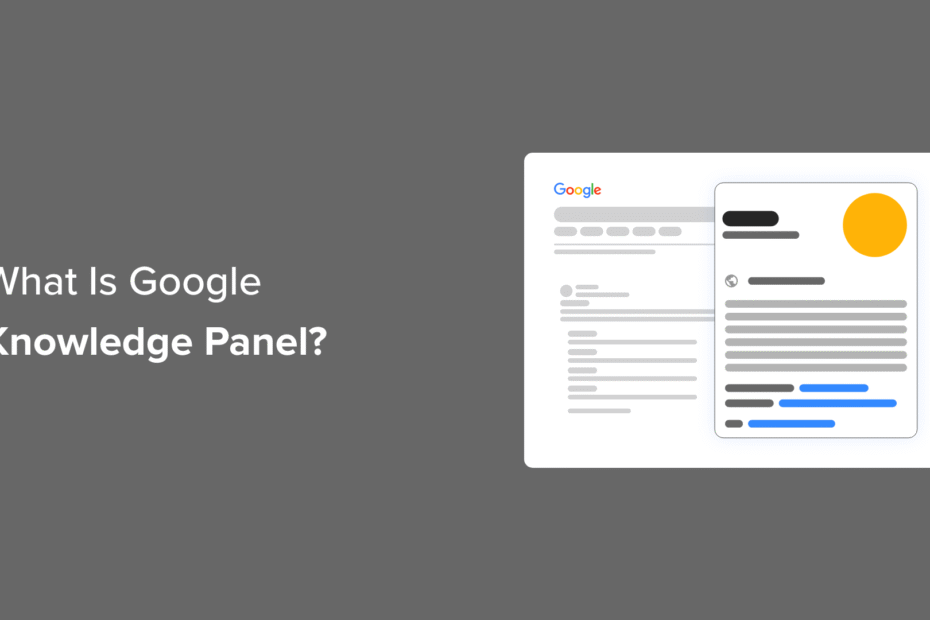
What Is a Google Knowledge Panel and Why Does It Matter for Your Business?
If you‘ve searched for a well-known person, place, organization or product on Google, you‘ve likely seen an information box appear on the right side of the search results. This is called the Google knowledge panel, and it provides a quick snapshot of key facts about the topic sourced from Google‘s Knowledge Graph.
For businesses and marketers, claiming and optimizing your organization‘s knowledge panel should be an important part of your SEO strategy. Having an informative, engaging knowledge panel can boost your online presence, build trust with potential customers, and drive more traffic to your website.
In this comprehensive guide, we‘ll explain exactly what Google knowledge panels are, why they matter for your WordPress site, and the steps you need to take to claim your business‘s panel. We‘ll also share some expert tips to increase the chances of your business being featured in the Knowledge Graph. Let‘s dive in!
Understanding Google Knowledge Panels
A Google knowledge panel is an information box that appears on the right side of Google‘s search results when you look up certain people, places, organizations, or things. It provides a overview of facts and details about the topic, with the goal of answering the searcher‘s query right on the results page.
The information in knowledge panels is automatically pulled from Google‘s Knowledge Graph – a huge database of facts about people, places and things. Google gathers this data from various sources across the web, including Wikipedia and Wikidata.
There are a few main types of knowledge panels:
- Person Knowledge Panels
These panels provide biographical information and key facts about an individual person. They typically include:
- Brief description of who the person is and why they‘re notable
- Photo or avatar image
- Date of birth and age
- Occupation and affiliations
- Important biographical facts
- Links to the person‘s website and social media profiles
Here‘s an example of a person knowledge panel for entrepreneur Elon Musk:
- Organization Knowledge Panels
Organization or company knowledge panels give an overview of a business or nonprofit entity. Information often featured includes:
- Brief description of what the organization does
- Official logo
- Founding date and headquarters location
- Key people such as founders and executives
- Company mission and values
- Links to website and social media profiles
- Customer reviews and ratings
- Stock price and market cap (for public companies)
Here‘s an example knowledge panel for technology company Apple:
[Screenshot of Apple knowledge panel]- Product Knowledge Panels
Product knowledge panels focus on a specific product or group of products. They provide details and comparisons to help searchers research and buy products. Typical features include:
- Photos of the product
- Brief description
- Price range and links to buy from various retailers
- Overall star rating and number of reviews
- Specs, materials, features
- Related products and accessories
Here‘s an example of a knowledge panel for the iPhone 14 Pro:
[Screenshot of iPhone 14 Pro knowledge panel]Why Google Knowledge Panels Matter for SEO and Branding
Having a knowledge panel show up when people search for your name or business offers significant benefits for your online presence:
Boost Credibility and Trust
Having a knowledge panel is a strong trust signal for your brand. The prominent placement and informative overview helps assure searchers that you‘re an established, credible entity. This can increase clicks to your site.Control Your Brand Story
While you can‘t directly edit your knowledge panel, you can influence the information that appears by providing structured data on your own website and claiming your panel to suggest changes. This allows you to showcase your brand‘s key selling points.Increase Search Visibility
Knowledge panels take up significant real estate on the search results page, putting your brand front and center. Eye-tracking studies show people often look at the knowledge panel before the top organic search results.Drive More Website Traffic
An enticing knowledge panel can encourage searchers to click through to your website to learn more. Knowledge panels also link to your homepage and other key pages.Improve Local SEO
For local businesses, your knowledge panel may display a map, address, hours, and other helpful info to drive foot traffic to your location. Having a fleshed out knowledge panel also improves your chances of appearing in the Google Local Pack.Competitive Edge
Searchers often use knowledge panels to quickly compare companies, products or services. Having a more complete, engaging knowledge panel than your competitors can be the deciding factor in winning the customer.
How to Claim Your Google Knowledge Panel
If a knowledge panel exists for you or your organization, it‘s important to claim it to unlock additional management capabilities. Here‘s how:
- Search for your name or company on Google to bring up your knowledge panel
- At the bottom, click the "Claim this knowledge panel" button
- This will bring you to a page explaining the benefits of claiming your panel. Click "Get Verified" to proceed.
- Fill out the short form, which will ask you to confirm the entity you‘re claiming and provide evidence that you‘re an authorized representative
- Depending on the entity type, you may need to verify your identity by submitting links to your official website and social media profiles, or by uploading an ID
- Submit the form and wait for Google‘s response. You should receive a verification decision within a week.
Once verified, you‘ll be able to suggest changes to your knowledge panel, including the featured image, to ensure it accurately represents your brand. Note that you can‘t directly control the text content of the panel.
How to Optimize Your WordPress Site for Google‘s Knowledge Graph
Of course, having a knowledge panel created for your business in the first place depends on Google‘s algorithms determining there‘s enough authoritative information about your brand online to feature.
Luckily, there are steps you can take to increase the chances of Google including you in the Knowledge Graph. Most importantly, you‘ll need to implement structured data markup on your WordPress site.
Structured data provides context to help Google better understand the content of your pages. You can add various Schema types related to your business, such as Organization schema and Person schema, as well as Product schema for eCommerce sites.
We recommend using the free All in One SEO (AIOSEO) WordPress plugin to easily implement structured data sitewide. It will automatically add the necessary JSON-LD markup to your pages.
To add Knowledge Graph schema with AIOSEO:
- Go to All in One SEO » Search Appearance in your WordPress dashboard
- Scroll down to the Knowledge Graph section
- Enter your company or personal brand information, including name, logo, and contact info
- Choose whether the schema should be applied sitewide or on a per-page basis
- Save your changes
For online stores, WooCommerce and other eCommerce plugins often have built-in structured data functionality. Make sure to fill in as many product details as possible in your store to give Google plenty of context.
Other on-site optimizations to consider include:
- Having a detailed About page that explains your company history, mission and key people
- Creating a Contact page with your business address, phone number and other info
- Listing your official social media profiles on your site
- Building topically relevant content demonstrating your expertise
- Internally linking between your most important pages
Off-site, focus on building your brand‘s overall presence and authority:
- Be active on social media and make sure each profile is fully filled out
- Consider creating a Wikipedia page for your company
- Add your business to relevant directories and listings
- Try to earn media mentions and links from other high-quality websites
- Apply to be featured on podcasts or other industry publications
By sending consistent signals about your business across your website and the wider Internet, you increase the likelihood of Google featuring you in a knowledge panel.
Frequently Asked Questions About Google Knowledge Panels
What is the difference between a knowledge panel and Google Business Profile?
A knowledge panel provides an overview of facts about a person, organization or product, and is automatically generated from web sources.
A Google Business Profile (formerly Google My Business) contains info the business owner directly provides about their company. It powers the Business Profile that appears in Google Maps and Local Search.
An organization can have both a GBP and a knowledge panel appear in search results.
How long does it take to get a knowledge panel?
The timing of knowledge panel creation is entirely up to Google‘s automated systems. Assuming your site is optimized with the proper structured data, it can still take anywhere from a few days to a few months for the knowledge panel to appear.
Be patient and consistent in your efforts to demonstrate your brand‘s authority and trustworthiness. Google continually updates the Knowledge Graph as it discovers new entities and information.
Can I pay Google to create a knowledge panel for me?
No, Google does not offer any way to pay for a knowledge panel. The Knowledge Graph is populated organically based on Google‘s assessment of online information sources. Buying a knowledge panel would go against Google‘s core principle of providing unbiased, reliable information to searchers.
Why doesn‘t my business have a knowledge panel?
There are a few reasons why your company might not have a knowledge panel:
- There‘s not enough factual, authoritative online information about your business yet
- Your business is relatively new or unknown
- Your business has the same name as a more prominent company
- You haven‘t implemented the proper structured data on your website
- Google hasn‘t gotten around to creating a knowledge panel for your vertical or niche yet
Focus on building your online presence and authority over time. Google‘s Knowledge Graph is always expanding, so even if you don‘t have a knowledge panel now, you may be added in the future.
Conclusion
Google knowledge panels are a powerful tool for increasing your online brand visibility and authority. By understanding how they work and taking steps to optimize your site with structured data, you can influence your chances of earning this valuable search real estate.
Claim your knowledge panel if you have one, express your brand personality, and continue to demonstrate your expertise online. With consistent effort and a little luck, you may soon see an informative, engaging knowledge panel appear when customers search for your business.
